Features
WPCore stores lists of WordPress plugins called collections. The WPCore plugin installs a collection on any WordPress site.
Collections
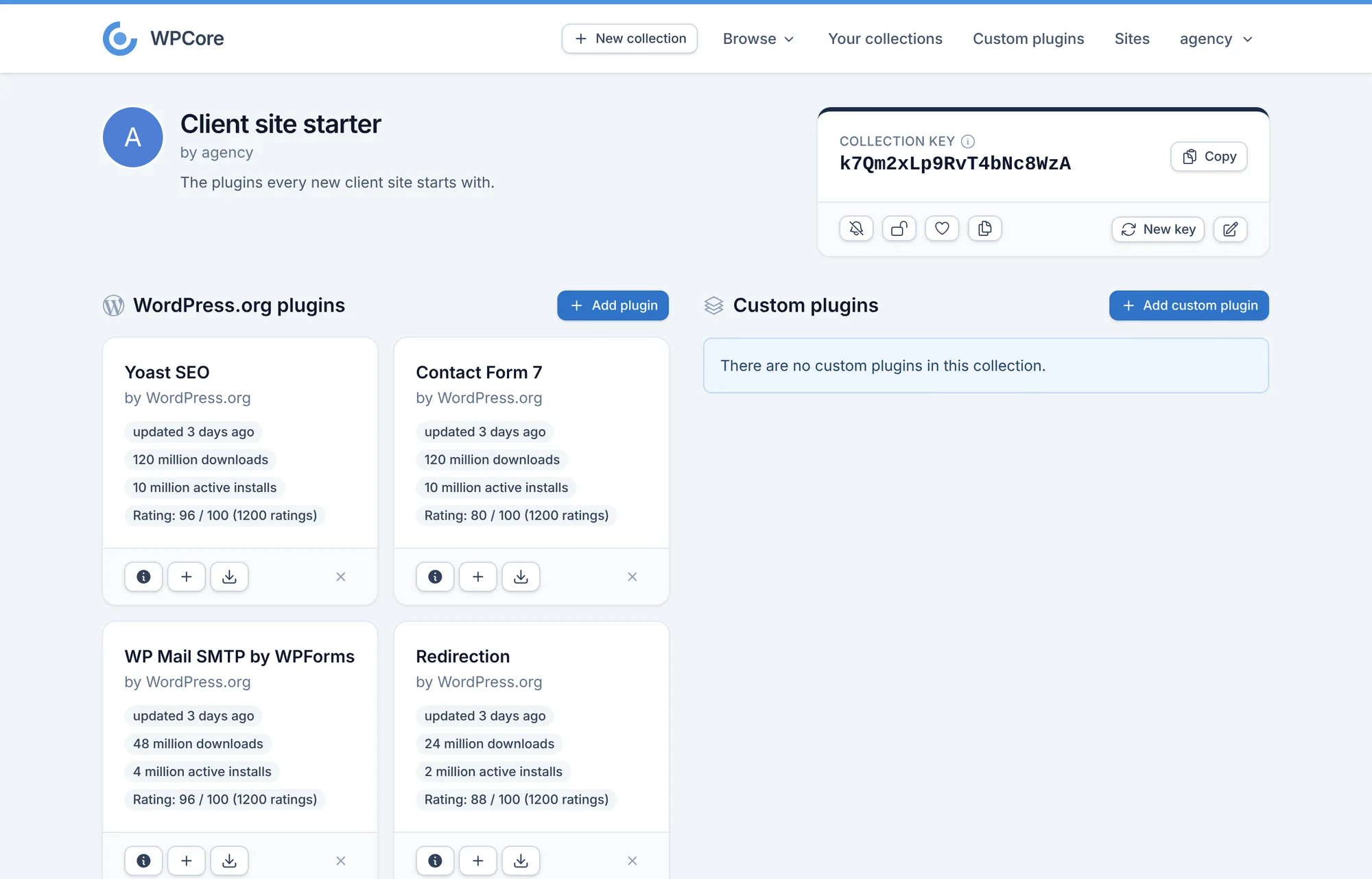
A collection is a list of WordPress plugins. Each collection has a key. Paste the key into the WPCore plugin to install the collection on a site.
- Search the WordPress.org plugin directory and add plugins to a collection.
- Make a collection public or private. Browse other users' public collections, clone them and save them as favourites.
- Pro: add custom plugins from your own ZIP files.
- Pro: get an email when a plugin in one of your collections is updated.
The WPCore plugin
The WPCore plugin is free on WordPress.org. It adds a WPCore screen to the WordPress admin.
- Install and activate WPCore Plugin Manager from Plugins > Add New.
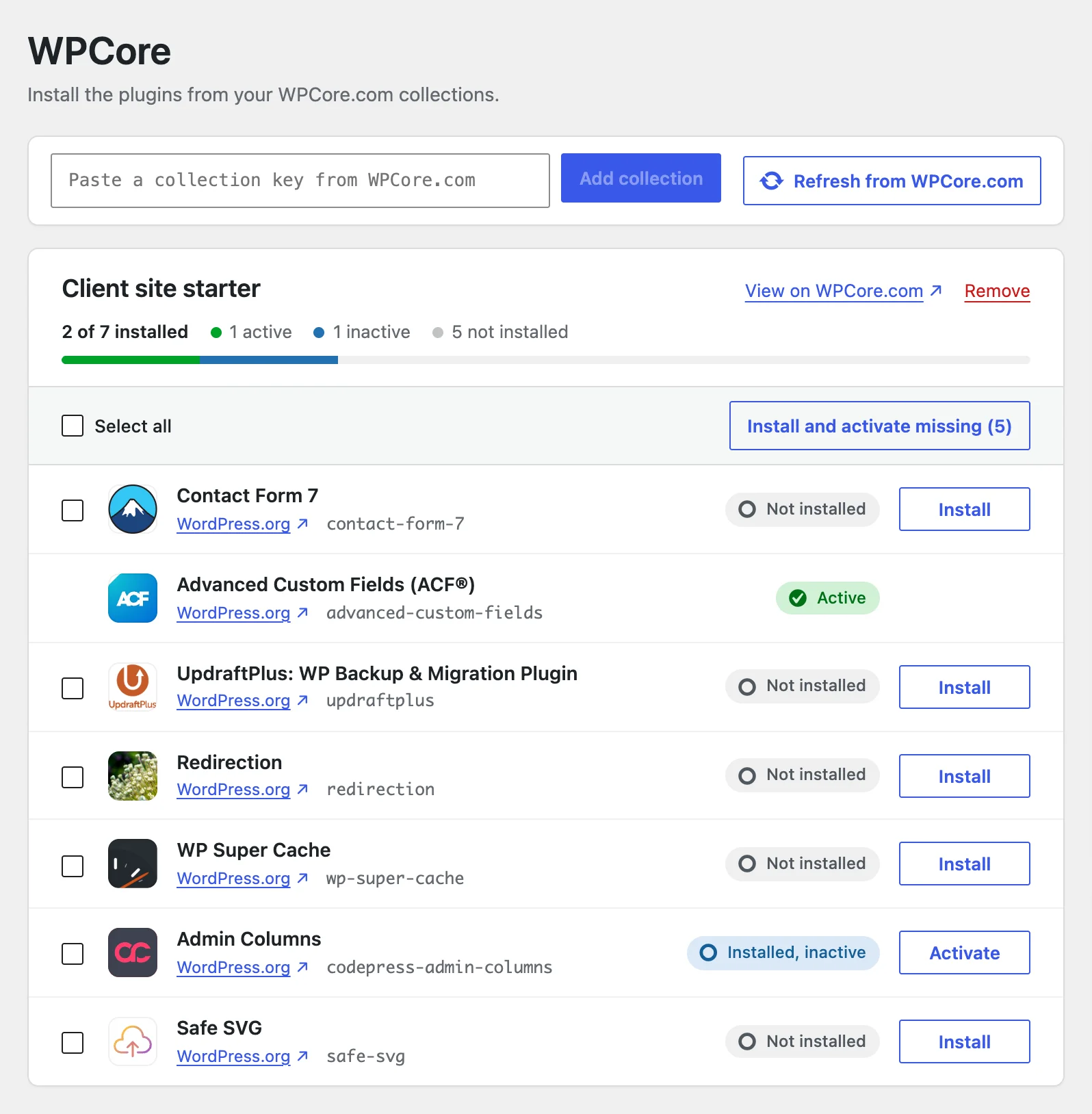
- Open the WPCore screen and paste a collection key.
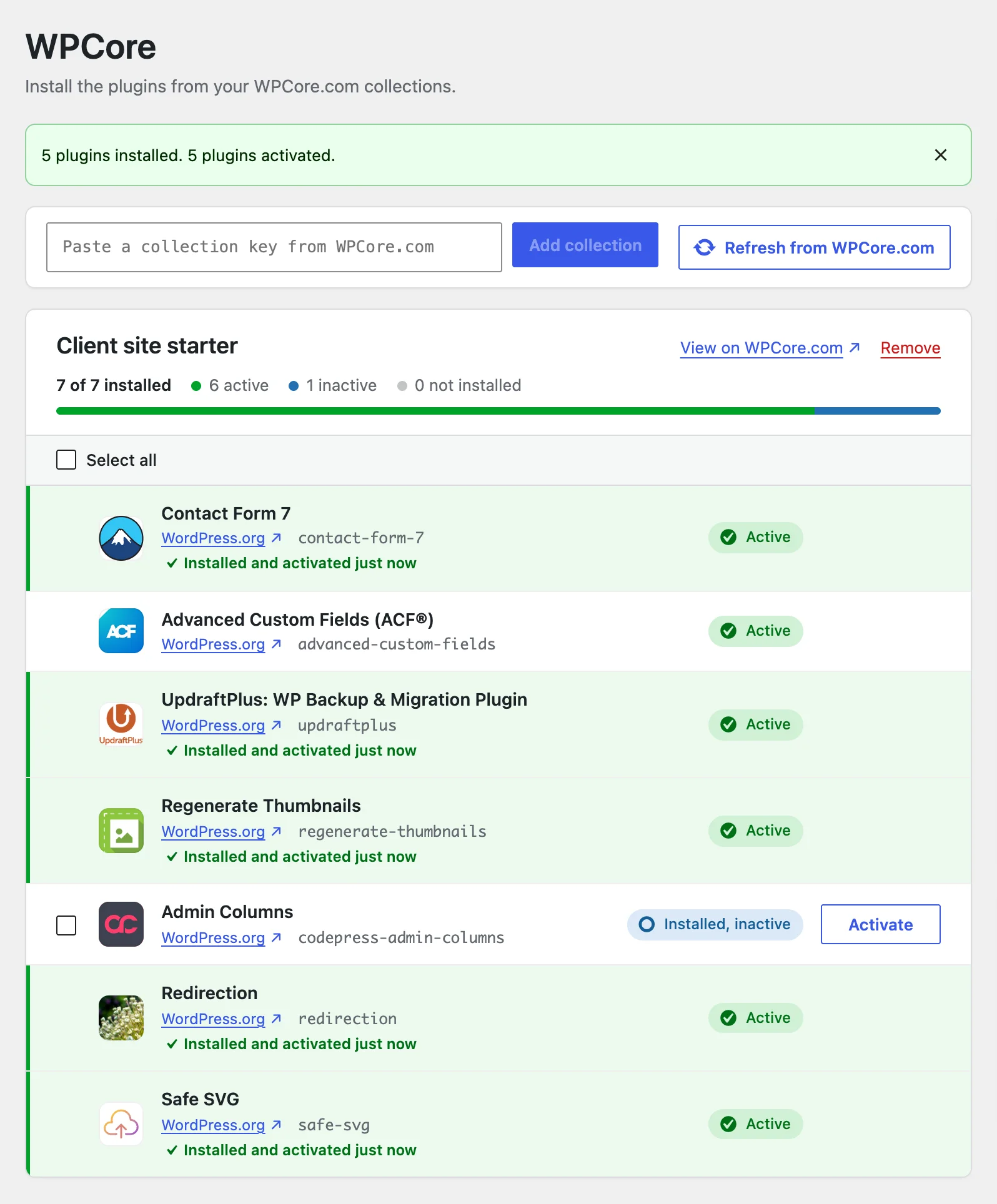
- Select plugins, or click Install and activate missing. Each plugin row shows its result.
A plugin that is listed in several saved collections installs once. wp wpcore install <key> installs a collection from WP-CLI. The WPCore screen also links to a new WPCore.com collection that holds the plugins already on the site.
Start with a free account
Create collections, install them with the WPCore plugin, and upgrade to Pro for higher limits.